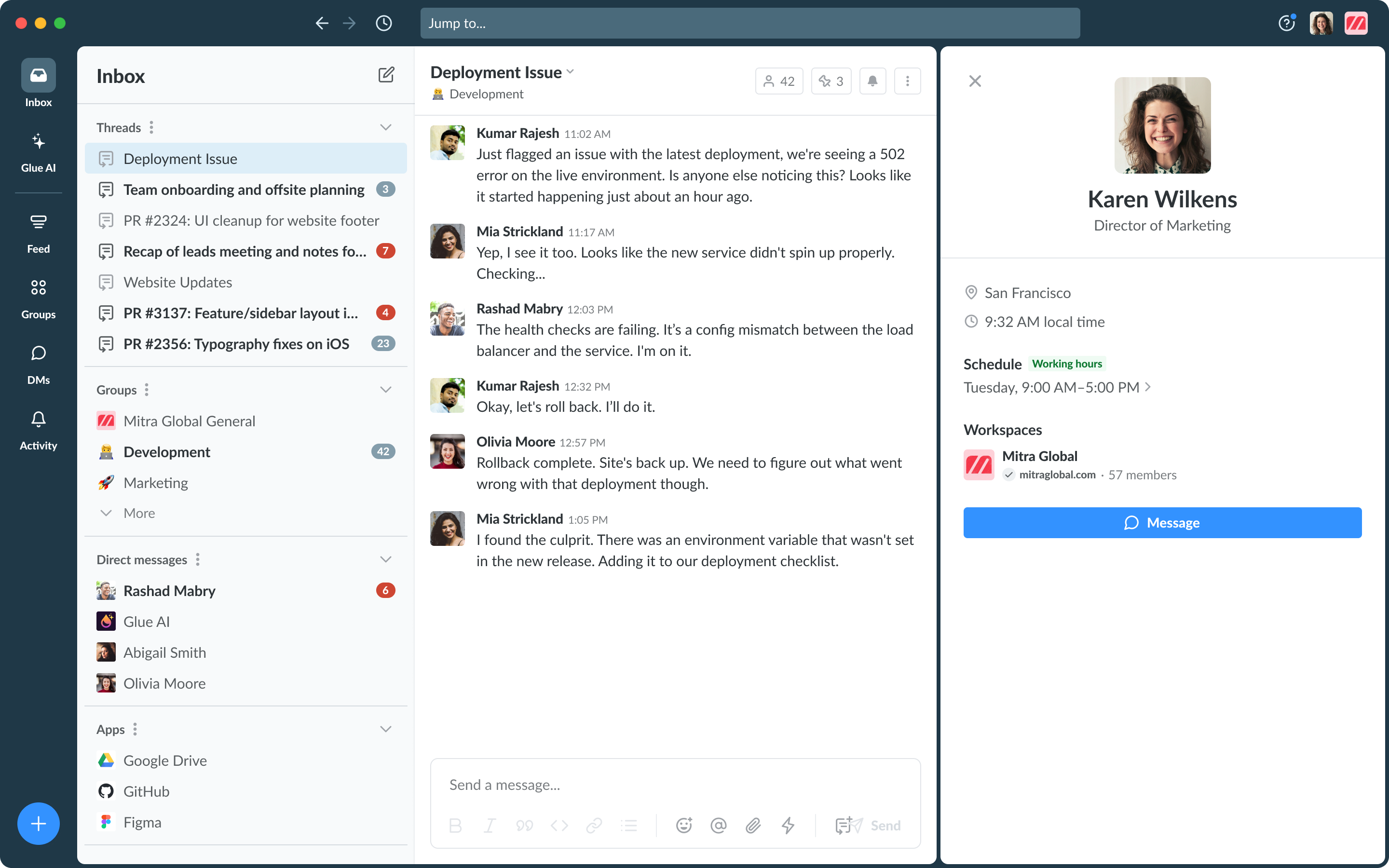
# Profile

Update your profile details to control what details others can see about you in Glue and make it easier to collaborate with your colleagues.

## Customize your profile

Click on your profile picture and select the Edit profile option to be able to modify the following details:

* Name that will display in Glue (we recommend using your full name)
* Title
* Profile Picture
* Time Zone (can be set automatically)
* Location
* Work Schedule

<figure><img src="/files/LdCoNjdgL63vdfj0E3rI" alt=""><figcaption><p>Select Edit profile</p></figcaption></figure>

<figure><img src="/files/GR5QT03RBZltMNL7YOnq" alt=""><figcaption><p>Edit profile menu — with the work schedule turned off</p></figcaption></figure>

<figure><img src="/files/tE0x4srkK32p9Y9camn3" alt=""><figcaption><p>Edit profile menu with work schedule turned on</p></figcaption></figure>

### Time Zone and Work Schedule

If you choose to share your work schedule on your profile, you can pick and choose the days you are working, with a schedule for each day (in 15 minute increments). You will need to set your time zone as well for this feature to work.

#### What others will see on your profile about your work schedule

* Within your daily working hours
  * Green badge that says "Working hours" shows next to Schedule
* Outside of your daily working hours
  * The working hours badge will go away, but your day's work schedule will still be visible
* Not scheduled to work that day
  * It will say "Not Scheduled"

This is not the same thing as an online indicator. It is not based on being actively on Glue at that specific time, but rather to show you are within your work day.

<figure><img src="/files/CIcIRq4nHYusXiVMxGxu" alt=""><figcaption><p>Green "working hours" badge indicates this person is within their work schedule for the day</p></figcaption></figure>

<figure><img src="/files/sIVUyAkUWcjzwYxjr6Rn" alt=""><figcaption><p>Profile view when someone is not scheduled to work that day</p></figcaption></figure>


---

# Agent Instructions: Querying This Documentation

If you need additional information that is not directly available in this page, you can query the documentation dynamically by asking a question.

Perform an HTTP GET request on the current page URL with the `ask` query parameter:

```
GET https://docs.glue.ai/profile-and-preferences/profile.md?ask=<question>
```

The question should be specific, self-contained, and written in natural language.
The response will contain a direct answer to the question and relevant excerpts and sources from the documentation.

Use this mechanism when the answer is not explicitly present in the current page, you need clarification or additional context, or you want to retrieve related documentation sections.